My biggest pain of making mobile games is arguably the Apple and Google Play store submission process. They both require screenshots in various resolutions. You might already have captured some great screenshots, but Apple in particular requires screenshots in a variety of different aspect ratios.
Simply resizing your screenshots won’t do, in most cases the different aspect ratios will result in cropping, cutting off the UI, etc.
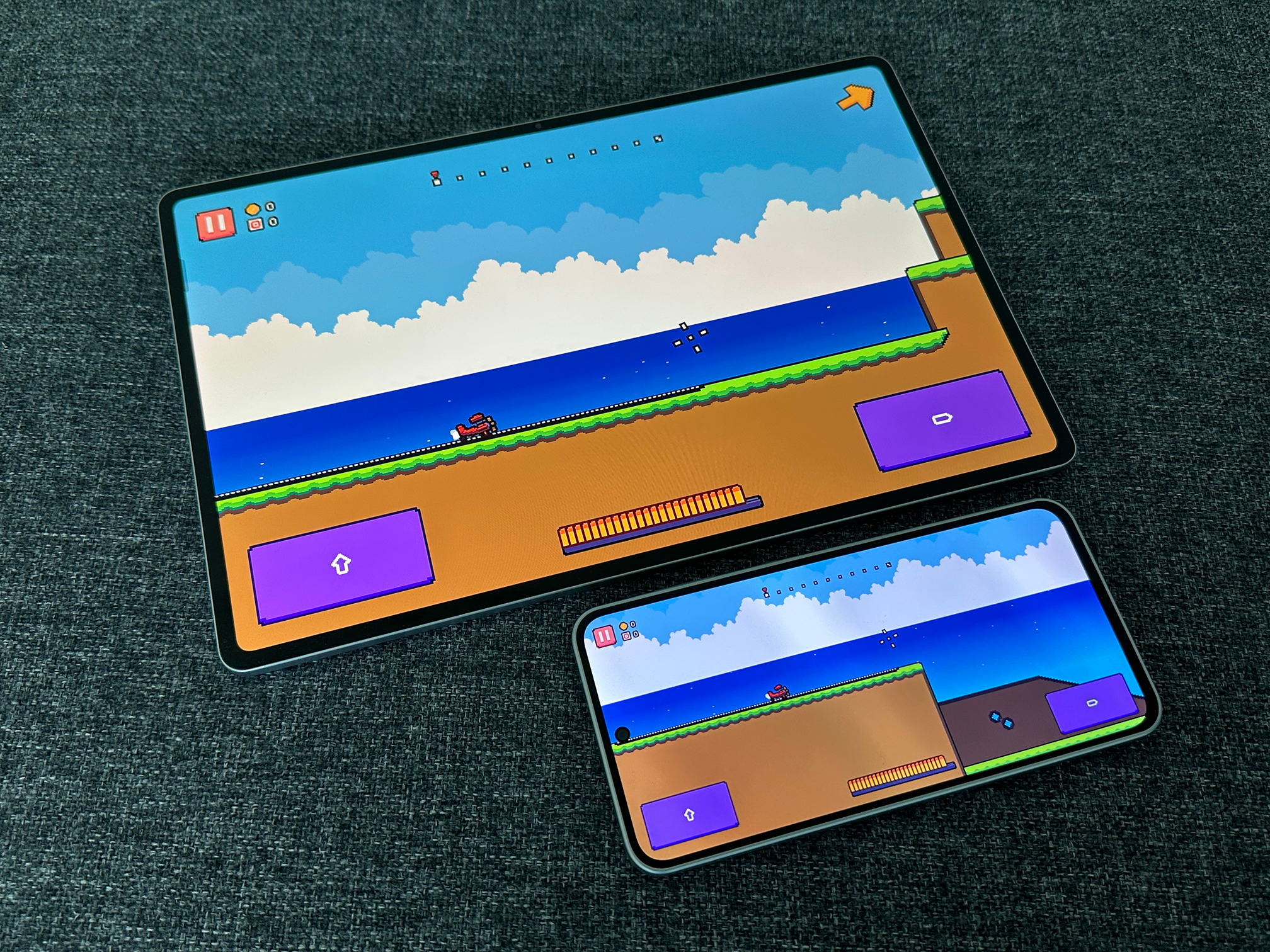 Pilot Panic running at different resolutions and aspect ratios.
I prototyped a tiny Godot plugin that allows you to capture a screenshot in multiple resolutions at the press of a button. I’m using one size for Android, and three different sizes for iOS (iPhone, iPhone Pro Max, and iPad).
var resolutions = [
	{"name": "iPhone_Pro_Max", "width": 2796, "height": 1290},
	{"name": "iPhone", "width": 2778, "height": 1284},
	{"name": "iPad", "width": 2752, "height": 2064},
	{"name": "Android", "width": 1920, "height": 1080}
]
The capture_screenshots() function will loop through the configured resolutions, changing the window size, waiting for one frame, and capturing a screenshot for each one.
func _unhandled_input(event):
	if event is InputEventKey and event.pressed and not event.echo:
		if event.keycode == KEY_F2:
			capture_screenshots()
			get_viewport().set_input_as_handled()
One issue I had, there was a difference between screenshots, e.g. sprites and particles had slight variations. This is because the game was still running while the screenshots were being captured. Enough so that several frames had passed between each screenshot.
To solve this, I simply set the game to a paused state while the screenshots are being captured, ensuring that all the screenshots are identical. Godot makes this pretty easy.
func capture_screenshots():
	# Get the root viewport (the game viewport)

	var viewport = get_tree().root

	# Store original pause state and pause the game

	var was_paused = get_tree().paused
	get_tree().paused = true

	# Store original window size

	var window = get_window()
	original_size = window.size

	# Create screenshots directory if it doesn't exist

	var screenshots_dir = "user://screenshots"

	if not DirAccess.dir_exists_absolute(screenshots_dir):
		DirAccess.make_dir_absolute(screenshots_dir)

	# Get timestamp for unique filename

	var timestamp = Time.get_datetime_string_from_system().replace(":", "-")

	# Capture at each resolution

	for resolution in resolutions:
		await capture_at_resolution(resolution, timestamp)

	# Restore original size

	window.size = original_size

	# Restore original pause state

	get_tree().paused = was_paused
The screenshot capture function is called for each resolution in the loop above. It sets the window to the desired size, waits one frame for the game to update (the camera needs to adjust, etc), and then captures the screenshot.
func capture_at_resolution(resolution: Dictionary, timestamp: String):
	var window = get_window()
	var viewport = get_tree().root

	# Set new window size

	var new_size = Vector2i(resolution["width"], resolution["height"])
	window.size = new_size

	# Wait for viewport to update (one frame should be sufficient when paused)

	await get_tree().process_frame

	# Capture the image

	var image = viewport.get_texture().get_image()

	# Build filename

	var filename = "screenshot_%s_%s_%dx%d.png" % [
		timestamp,
		resolution["name"],
		resolution["width"],
		resolution["height"]
	]

	var filepath = "user://screenshots/" + filename

	# Save the image

	var error = image.save_png(filepath)

	if error == OK:
		print("Saved: %s (%dx%d)" % [filename, resolution["width"], resolution["height"]])
	else:
		print("Error saving screenshot: " + str(error))
My full implementation is a bit more fleshed out (with error handling), but you get the idea. I might throw this on GitHub at some point if anyone is interested.